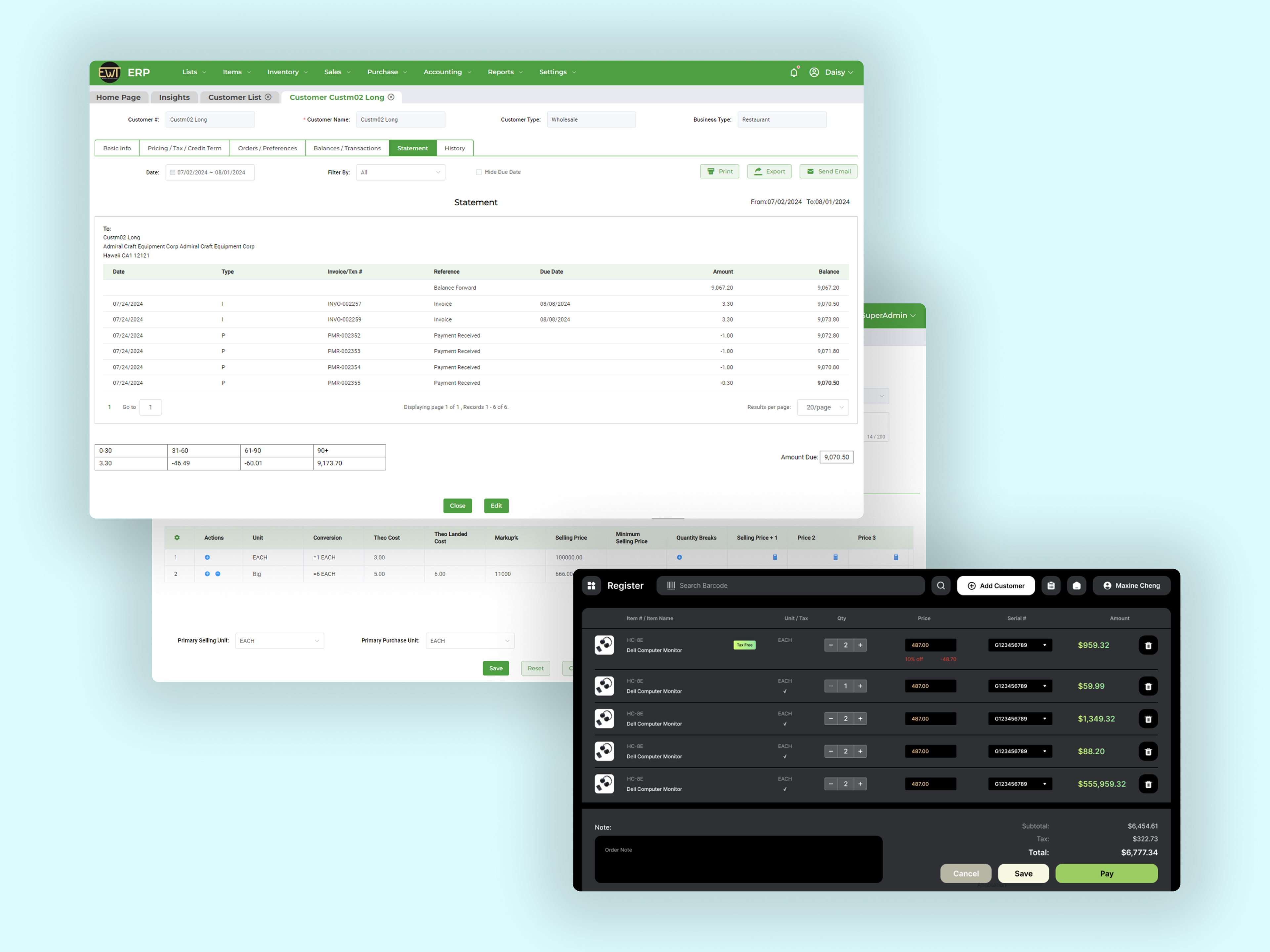
Overview
During my time at AIYA Technology, I partnered closely with one of our key clients, Econ World Trading, who relied on our customized ERP and POS systems for sales, inventory, and warehouse management. Over the course of five months, I delivered more than 20 product requests, leading end-to-end efforts and translating business needs from user research and journey mapping to UI redesigns, new feature launches, functionality improvements, and system refinements.
Role: Product Manager & Product Designer
Team: Individual; external (client representatives) & internal (developers) communication
Timeline: March 2024 - Aug 2024
Responsibility: Manage, update & track requests and timeline via Miro and Monday, design with Figma
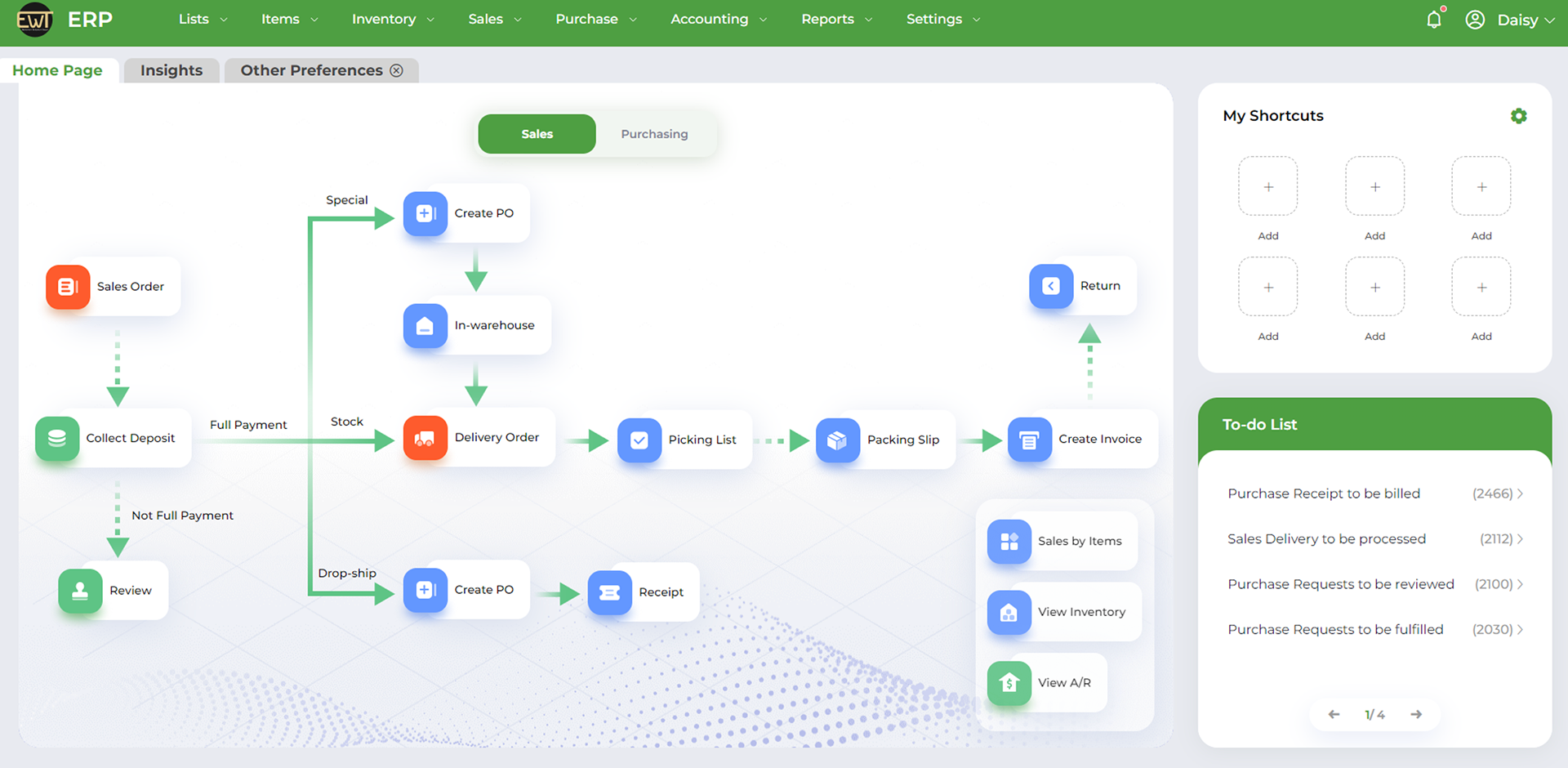
The ERP Homepage [Test Environment]
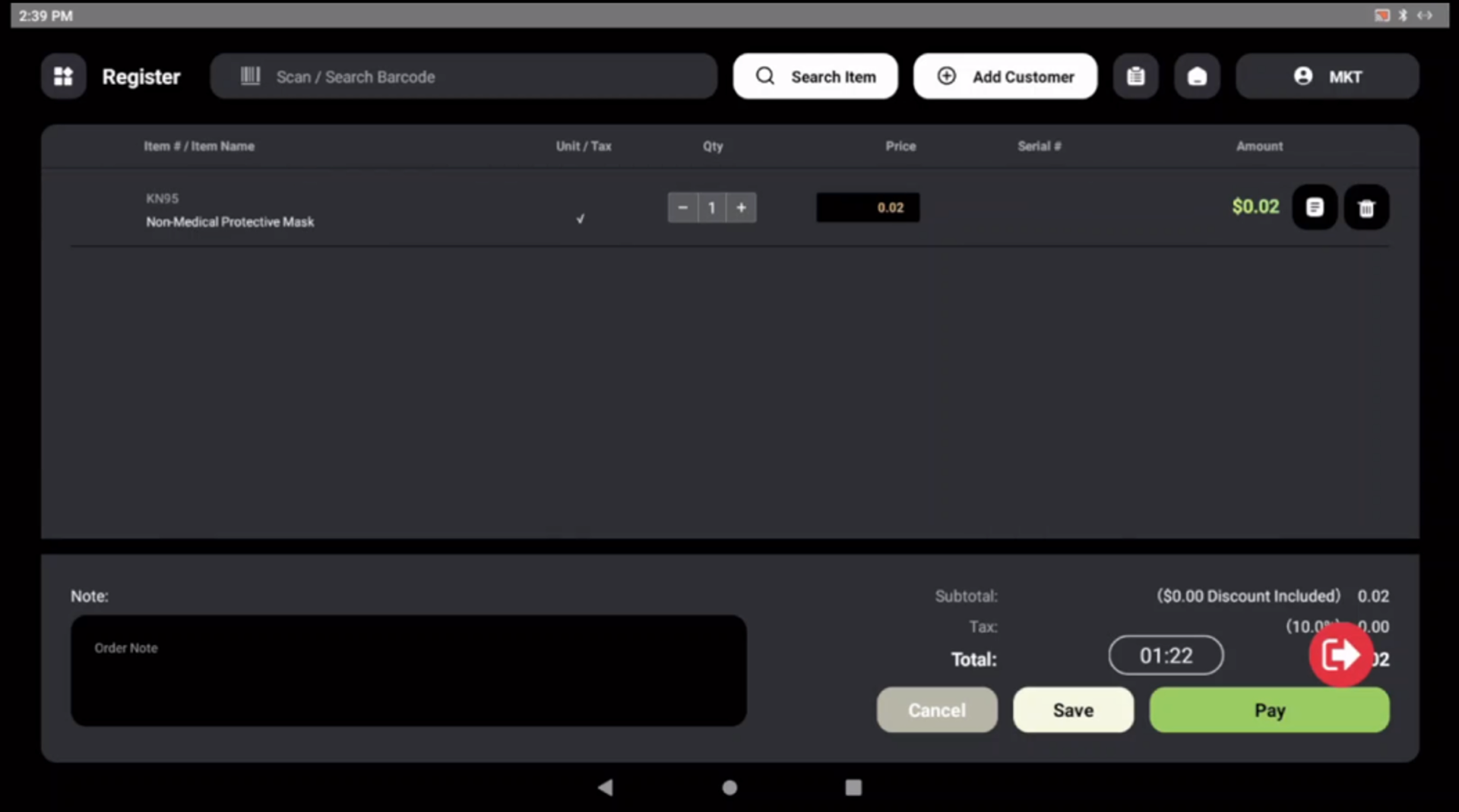
As the real environment has sensitive data and information that remains confidential and private to our client, all UI shown on this page is our testing environment with no actual data.
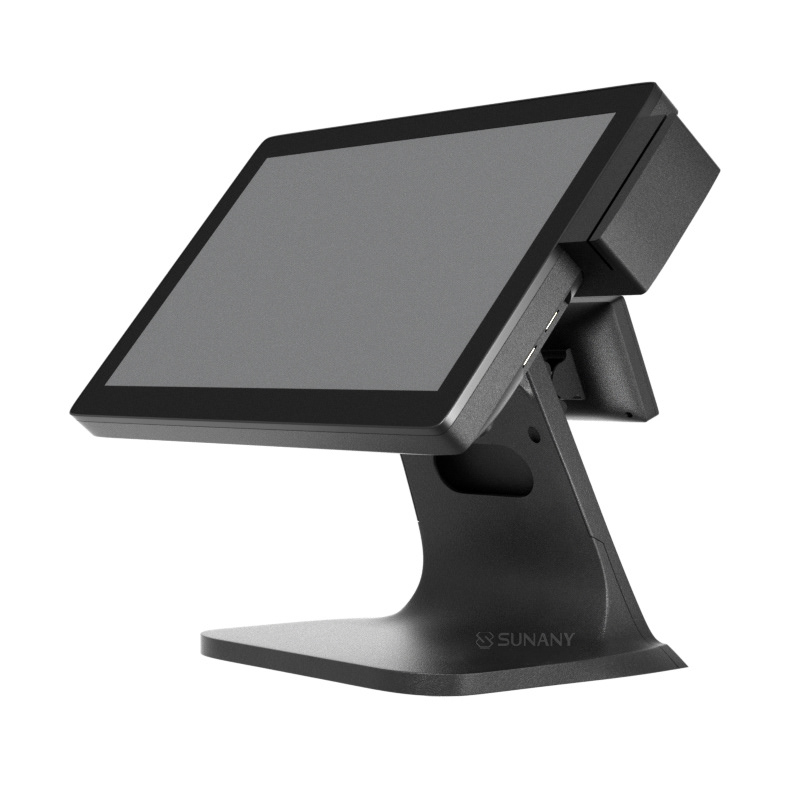
Paired with the POS device terminal:
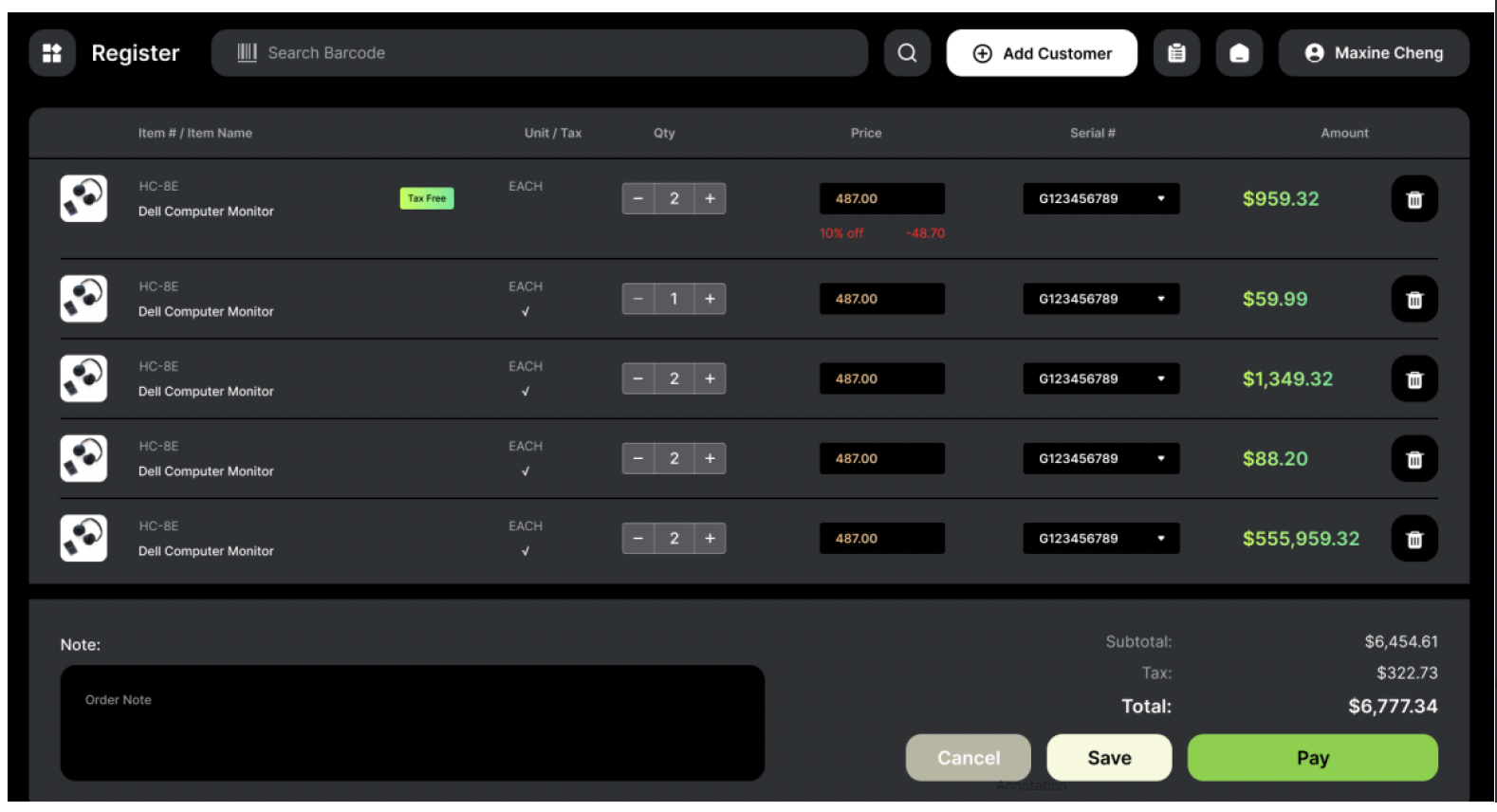
The POS Interface [Test Environment]
Sample Update
Client requested "I would like to search for items by their descriptions, hide zero-stock items, and set specific final discounts on the existing items."
I started by spotting the current user flow in the ERP: what page they go to for searching items, how they search, how they edit the item, and what is the limitation. Then, I looked for other user flows that would be impacted when adding these features.
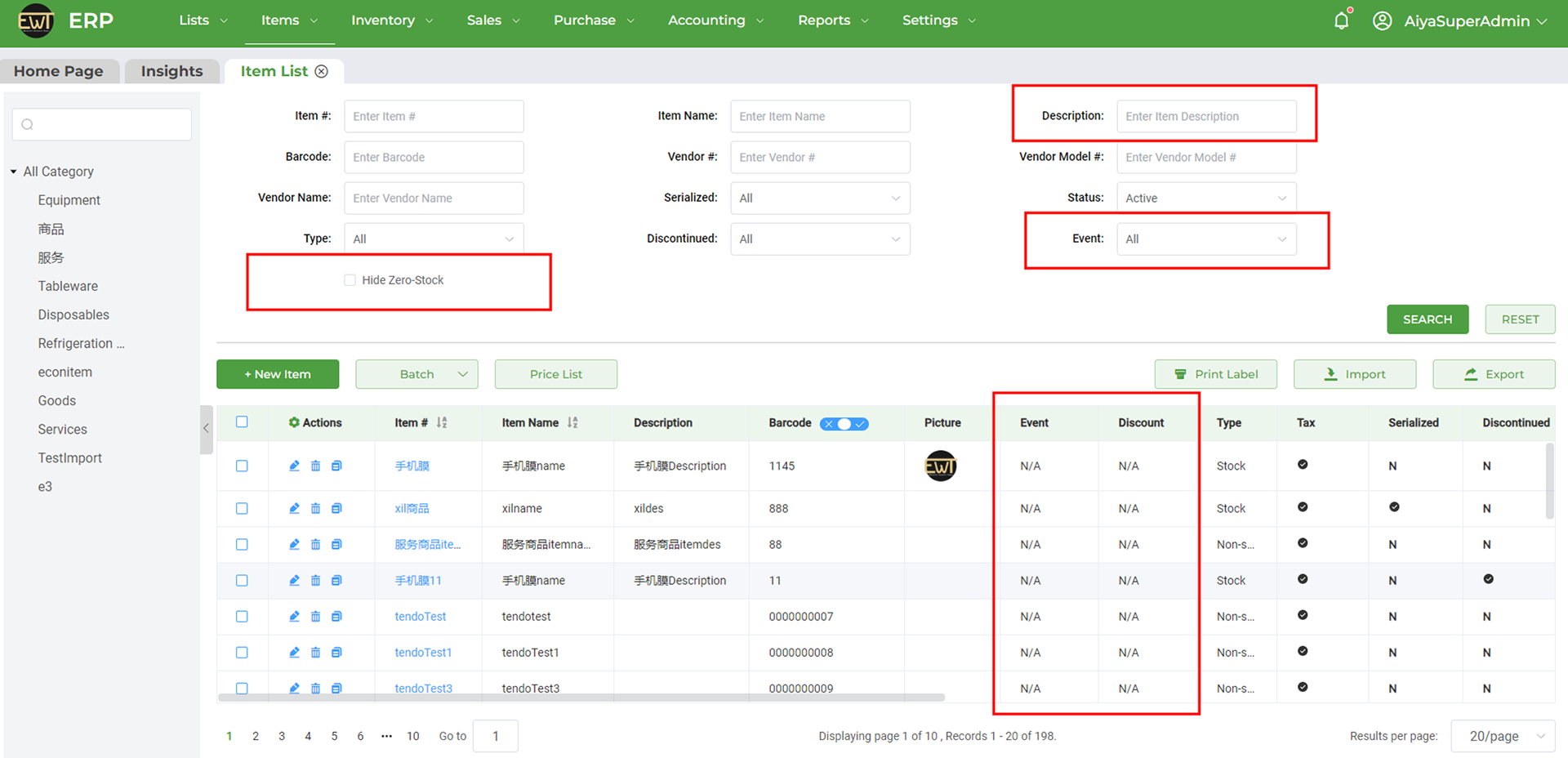
Under Item List page, adding new search filters: Description, Event and a checkbox to Hide Zero-Stock.
Now the users can search for an item by its description. They can also check the “Hide Zero-Stock” field to filter out items with zero stock on hand, so only positive and negative stock items will be shown.
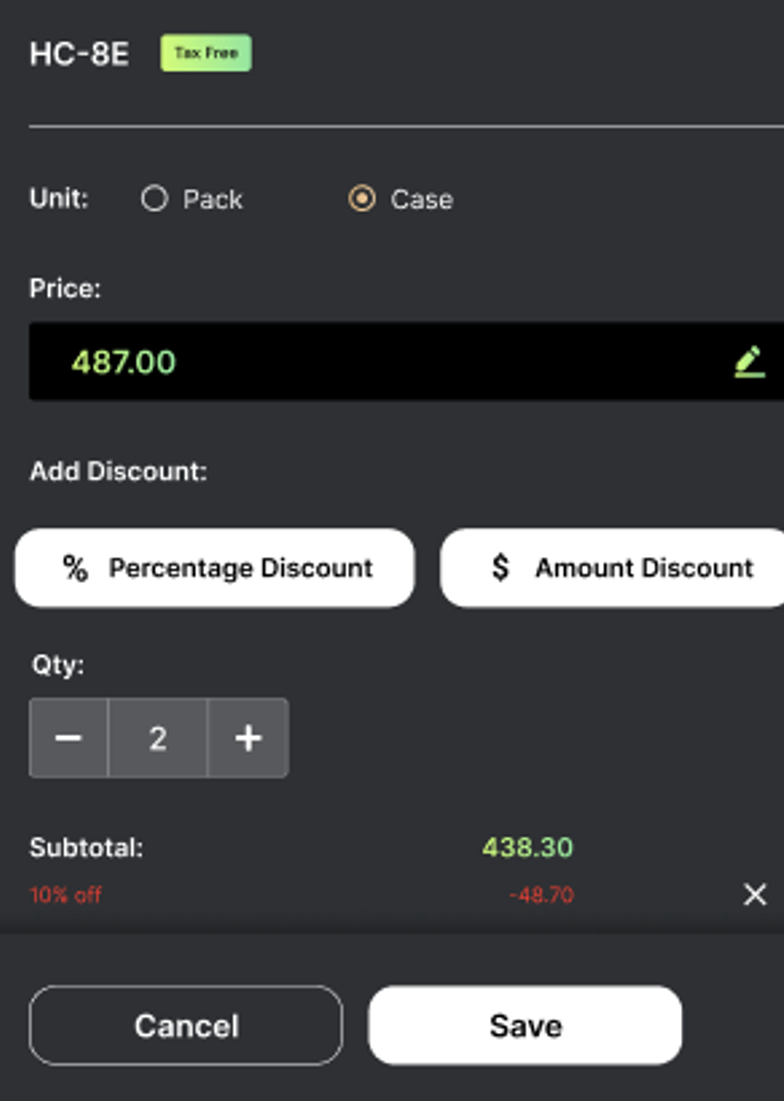
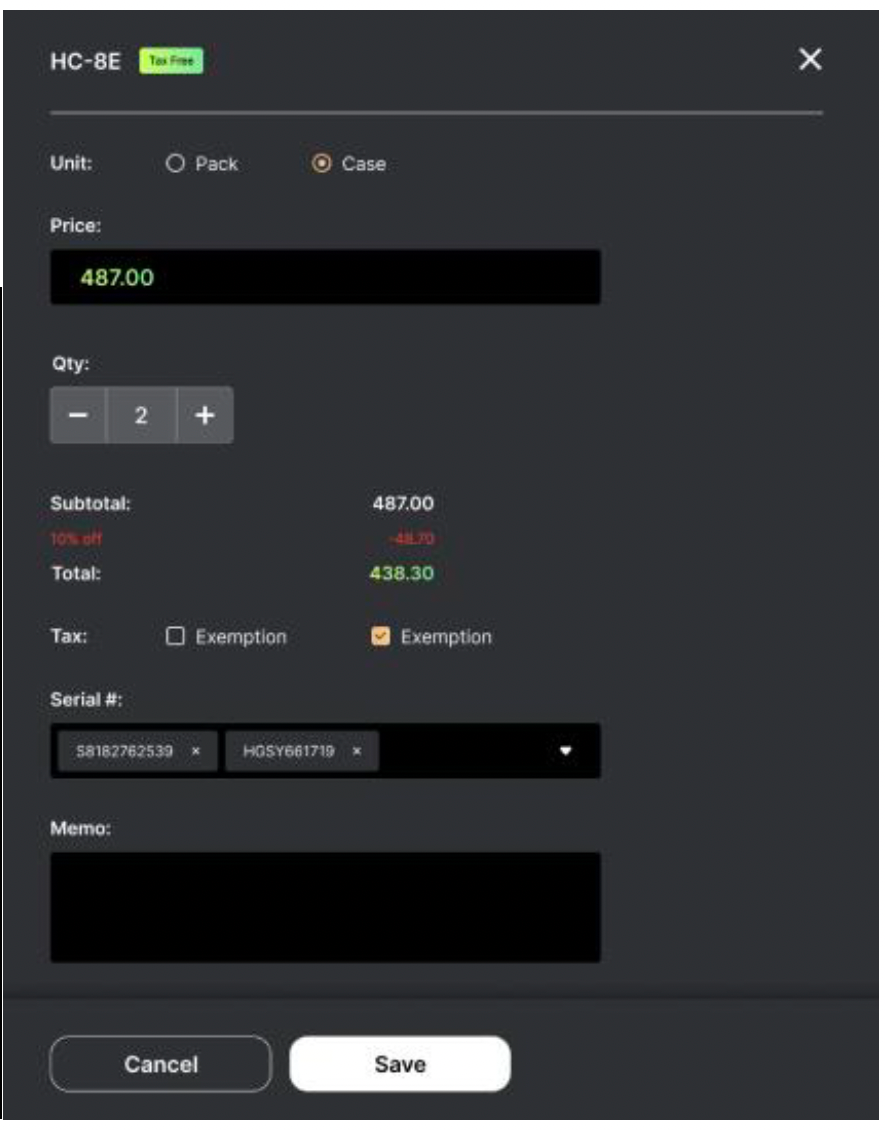
Event is a brand-new field that allows users to set specific final discounts (no further manual discount will be allowed after setting) on the existing items. When editing an existing item, there’s a new field for the users to select a type of event on the page.
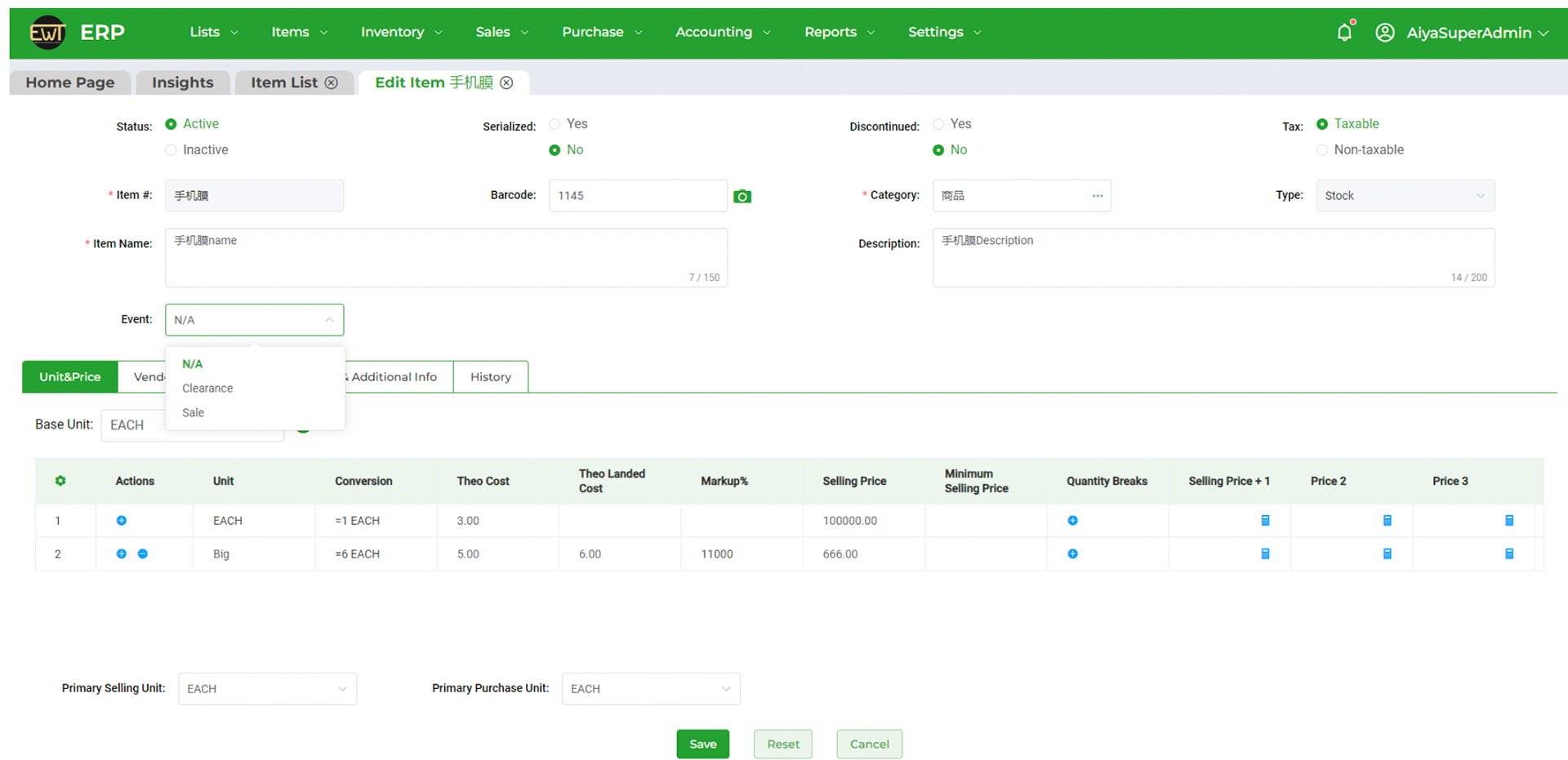
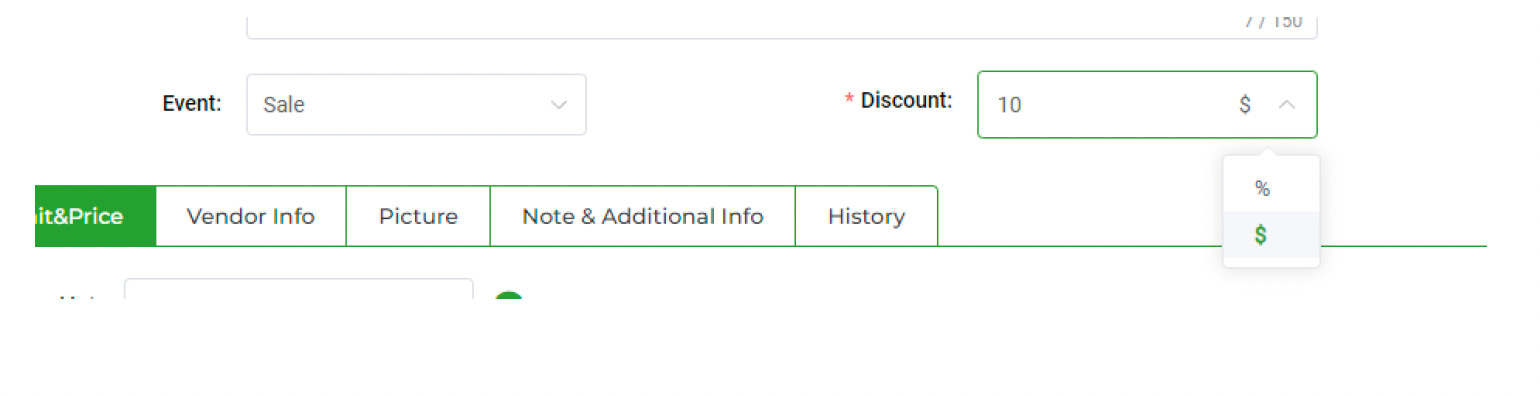
Event is not a mandatory field to set, but after choosing the event type, a mandatory Discount field will be shown. The users will need to type in the exact amount of discount, either in % or $.
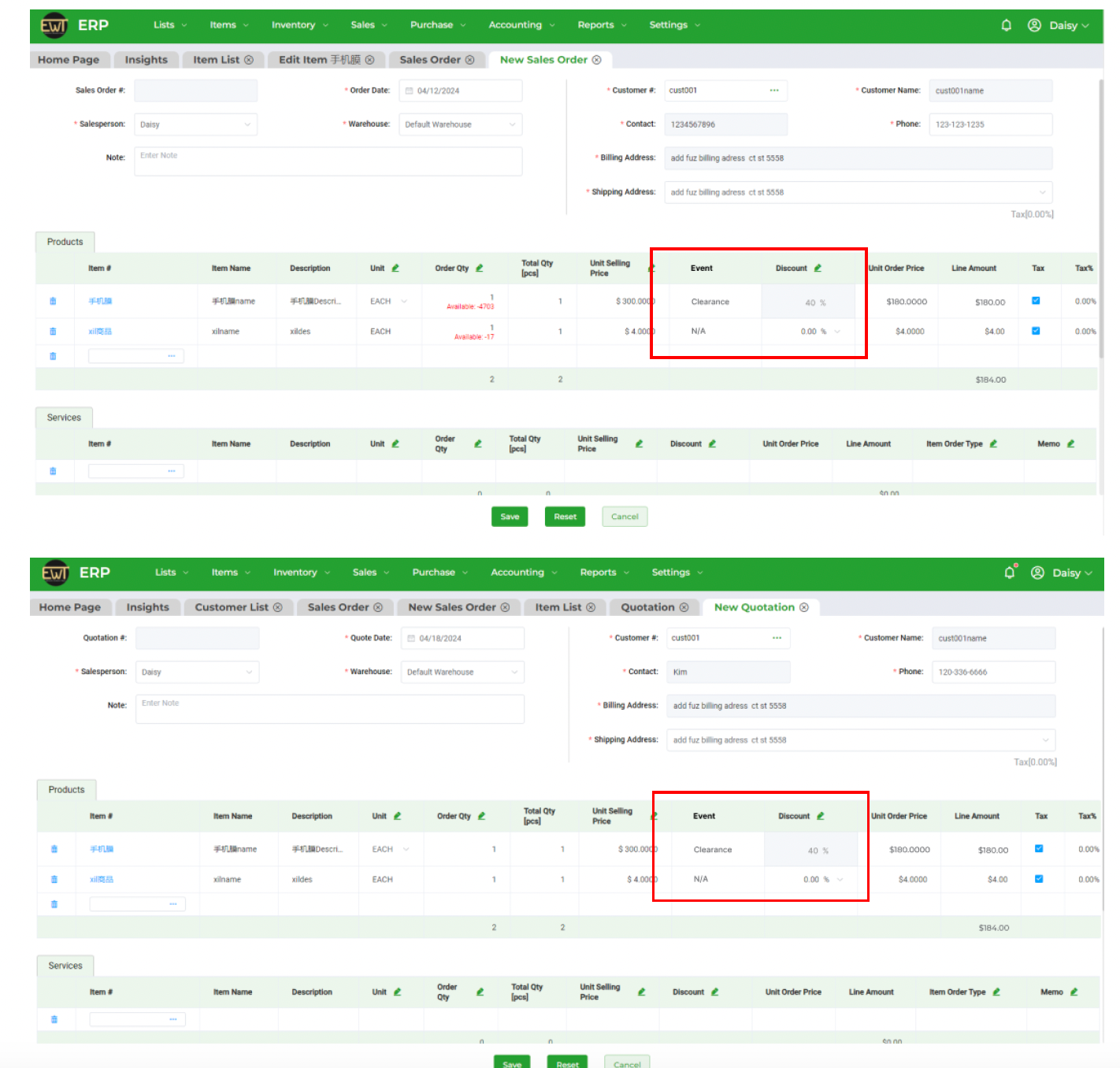
Other user flows/pages change with these new features added:
When creating a new or editing an existing Sales Order or Quotation, the discount information will automatically be reflected, so as the discounted price (auto-calculated). If there’s already a discount applied, this means it is the final sale, and no further discount can be added. Thus, the field cannot be edited.
Accordingly, this same thing also applies to the POS end. The discount will be shown in red mark under the corresponding item, and no further price-edit is allowed.
For complex systems, B2B, or internal tools, the challenge isn't creating flashy UI, but designing clear, reliable, and scalable interfaces that allow institutional clients and internal teams to interact with our services confidently and efficiently.
Key Takeaways
System-First Design
Great enterprise design isn’t about visual polish — it’s about structural clarity, reliability, and operational efficiency. In ERP and POS systems, success is defined by how well the system supports real workflows, not how it looks in screenshots.
Reliability = Trust
In operational software, trust is built through consistency, predictability, and system stability. Clear flows, error prevention, and logical structure directly impact business performance.
Design as Infrastructure
This project reframed my understanding of UX as invisible infrastructure — the logic, flows, and structure that make complex systems usable, scalable, and reliable over time.